


iShoes proposal pack

The plan, itemised · iShoes · ninety days from the day you say go

Every task, the system it happens in, and how you check it.

This page is the ninety days taken apart. Filter by the system a task happens in, open any task for its detail. Nothing here is a commitment past what the proposal prices, and nothing on it expires.

iShoes × RAAVA

Before the work starts

What we need from you for the pilot phase.

Two things unlock the first thirty days: the team seats that let us build inside your accounts, and a small AI tooling budget for the experiments we run by hand before anything is automated.

Claude for the team

One Claude Max seat for the lead operator, plus four Pro seats for the working team, set up before onboarding begins. If the team is smaller to start, one Max seat is the minimum for the pilot.

1 Max + 4 Pro, or 1 Max minimum

AI tooling budget

A$350 for the pilot phase, spent on the tools we use to generate, render and test by hand: fal.ai, ElevenLabs, Higgsfield, Anthropic, OpenRouter and the other services that feed the workflows.

A$350 pilot budget
  • Used only for the pilot phase experiments
  • Tracked against each workflow so the business case is real

The ninety days

Stabilise, replicate, systematise.

Month one proves everything by hand on iShoes. Month two runs the proven work on all three stores. Month three turns what worked into the system you keep.

Month 1

Stabilise

Fix what is wrong, finish the data, move the server, and run every workflow by hand so it can be measured before it is automated.

1.1The twenty-one defects, fixedShopify
The copy blocks describing the wrong page, the Wilde School button that leads nowhere, phone numbers you cannot tap, the size chart trapped in a pop-up. The ranked four are the pilot's and land first; the rest sit inside the ninety days.
Hours: inside the 84.5You check: open the pages
1.2The catalogue, finished top to bottomShopify
Every product and collection completed in the order the money comes from: descriptions, sizing, fit notes, and the data fields behind each product filled so the work in months two and three has something to stand on.
Hours: inside the 84.5 + 8–12 checkingYou check: any product page
1.3The server moveAWSn8n
Your automation, your business-to-business site and room for the agents, on one Amazon server in your own account. About $1,421 to $1,526 a year back, and unlimited automation runs instead of a metered cloud plan. Sequenced after the workflows are proven by hand on what you already run.
Hours: inside the 84.5You check: the hosting bill
1.4The articles begin their revivalShopifyClaudeChatGPT
School Shoes 101 first: the products and collections it sells tagged in, images added, links to the pages built. Then the other twenty-eight on a weekly rhythm, each read by a person before it goes live.
Hours: the 60-hour content programmeYou check: your blog, weekly
1.5Email, run by handOmnisendClaude
The customer groups put to work, the after-purchase email retimed to the first six weeks, and one campaign staged end to end as a draft for you to look at. Approval creates a draft. A person at iShoes presses send.
Hours: 20–36You check: the draft in your account
1.6The shared ad spend, measuredMetaGoogle Analytics
Week one measures what the shared spend costs the brands beside it. If it costs more than it earns, Just Bee is deprioritised on iShoes. Deprioritised, not removed: the products stay on the storefront and keep selling.
Hours: week oneYou check: your own ad accounts
1.7Every output kept as a templateClaudeChatGPT
Each workflow that runs by hand is evaluated, and the version that worked is saved: the prompt, the layout, the checks. Month two reuses them. Month three turns them into the system.
Hours: inside every task aboveYou check: the template folder
Month 2

Replicate

The workflows proven on iShoes run on Just Bee and Panda Slippers, and the social channels come back to life.

2.1Just Bee and Panda SlippersShopify
The same catalogue work, the same content programme, the same email plan, on both stores. Subject to those two accounts being connected to this project, which is your side of the table and a configuration step, not a purchase.
Hours: inside the ninety daysYou check: both storefronts
2.2Social, back to lifePinterestMetaClaude
Pinterest and Meta posting again, built from what is already trending and matched to your brands, your campaigns and your calendar. One trending topic becomes a post, a page block and an email section, not three separate jobs. Engagement is the measure, not how much goes out.
Hours: inside the 33You check: the feeds
2.3Fortnightly, on the groupsOmnisend
Campaigns move from three whole-list sends a week to fortnightly sends built on the customer groups, holding the revenue the whole-list sends bring in today. The list stops being spent.
Hours: inside the 20–36You check: Omnisend revenue by campaign
2.4Brand pages that earn their placeShopifyClaude
Each trading brand gets the page the sample below shows: the story, the lifestyle imagery, the benefits a buyer actually weighs, and the products. Built on reusable content blocks so the next brand is assembly, not writing.
Hours: inside the 84.5You check: the sample below
Month 3

Systematise

What worked by hand becomes the system. On day ninety the agent OS app is released to you.

3.1Automations switch onAWSn8n
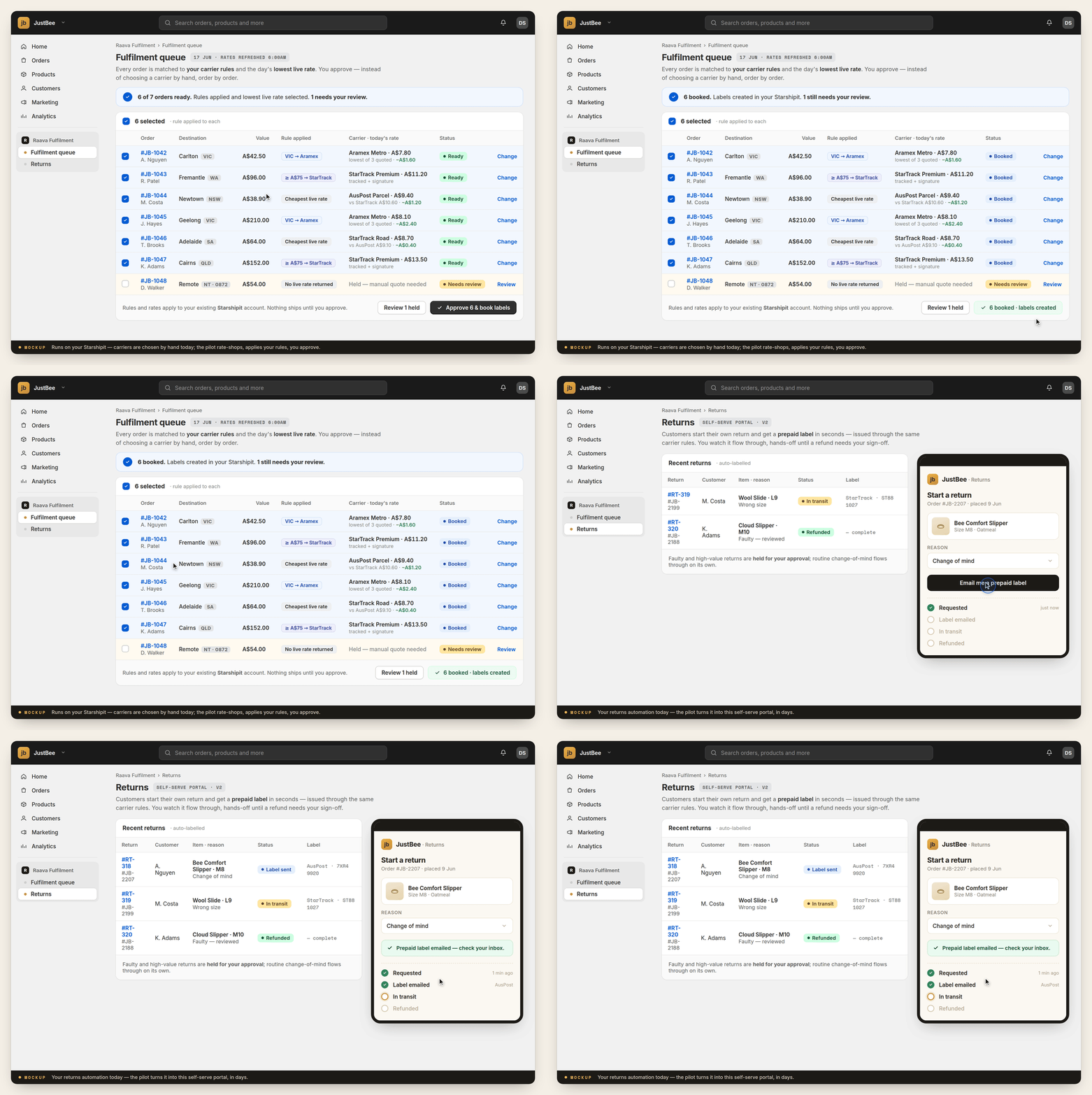
Only for the workflows that ran by hand and measured well: fulfilment, loyalty, and the baskets people leave behind. Which of the three goes first is your call.
Hours: inside the 33You check: each one running, in your accounts
3.2The new channel, baselinedGoogle Analytics
Sales arriving through AI assistants are baselined from the day the work starts and reported at months three and six, measured in your own Analytics. At its measured peak that channel sends retail about a third of one per cent of visits, so this is a baseline, not a projection.
Hours: inside month threeYou check: your own Analytics
3.3The method, written downShopifyOmnisend
Two runbooks, two recordings on your own data, fill-in sheets per brand, and a one-page card of the five things that go wrong and what each one means.
Hours: inside the 40–54You check: your team runs one campaign without calling us
Day 90

The agent OS app is released to you. The work we ran by hand in months one and two, running under your approval: email drafts to approval, the content pipeline, the social trending match, the catalogue checks. A workflow that was not proven by hand is not in the release. No extra manpower to keep the momentum.

How to read this pageEvery task names the system it happens in and the screen you check it on. If a task is not here, it is not in the price either.

Sample · what a brand page becomes

Wilde, the page it should have today.

Today the brand that sells close to a third of your website has a page, but the SEO setup is not indexing it properly. This is the shape it gets in month one, and the shape every trading brand gets in month two. The image slots are honest placeholders: the photographs are made with you, in month one, not invented for a pitch.

Today
One page holding all 159 stylesThe page exists, but the SEO setup is not indexing it properly. Google sent it three people in sixteen months.
No story, no imagery, no guidanceA grid of products and nothing else on it.
The logo on your homepage goes somewhere elseOn a phone, the Wilde tile lands on Panda slippers.
  • Nothing to read, nothing to trust, nothing to share
  • Nothing for a search engine or an AI assistant to quote
The sample
The brand, in one screenWho Wilde is, who it is for, and why it fits them. [ Lifestyle photograph: the seasonal character, in the season's setting. Made in month one ]
The benefits a buyer weighsComfort, width, materials, wear. Interactive: tap a benefit, see the styles that carry it.
The range, organised how people shopBy occasion and by fit, not one flat grid of 159.
ProofReviews answered, sizing guidance in words on the page, the articles that sell these shoes linked in.
  • Reusable blocks: the next brand is assembly, not writing
  • Every field filled, so search engines and AI assistants can read it

The imagery system · made with you in month one

One face, every campaign. The character sheet.

People trust what they recognise. Today every tool makes a different person, so nothing accumulates. The character sheet locks a small number of things and lets the rest move, so a customer sees the same woman across the season and starts to know her.

[ The face
one reference model, chosen with you,
kept across every campaign ]

Locked: the person

Face, hair, age, and the way she is photographed. She does not change between seasons, channels or brands, so recognition compounds.

[ The wardrobe
the season's outfit, fixed per season:
winter knit, spring linen ]

Locked per season: the outfit

One wardrobe per season, held across every image that season. Spring looks like spring, and this spring looks like this spring.

[ The setting
two of three things repeat:
same place, same light, one new prop ]

The two-of-three rule

Every image changes something and keeps two things. Same street, same light, new shoes. Variation keeps it alive; repetition trains the eye.

Why this is on a plan about revenue. Your three thousand product photos are all product and no person, and a buyer cannot picture herself in a shoe floating on white. The imagery your tools already make is not wrong in kind; it is unplanned. The sheet is the plan, and it is a month-one deliverable, made with you, before anything is generated at scale.

The gap, shown not told · captured 16 August 2026

What five shops your customers also visit look like.

Frankie4, Bared, Homyped, Ziera and Jo Mercer, beside your own homepage and your own blog, captured on the same day. Look for the people, the guidance and the photography in theirs, and what is on yours instead.

Frankie4 homepage
Frankie4 · homepage
Bared homepage
Bared · homepage
Jo Mercer homepage
Jo Mercer · homepage
iShoes homepage
iShoes · homepage · yours
Frankie4 feature page
Frankie4 · feature page
Frankie4 use case page
Frankie4 · use case page
Frankie4 product page
Frankie4 · product page
Check it yourselfOpen any of these five on your phone, then your own. The captures above were taken on 16 August 2026; the live sites are the check.

Day 90 · the system you keep

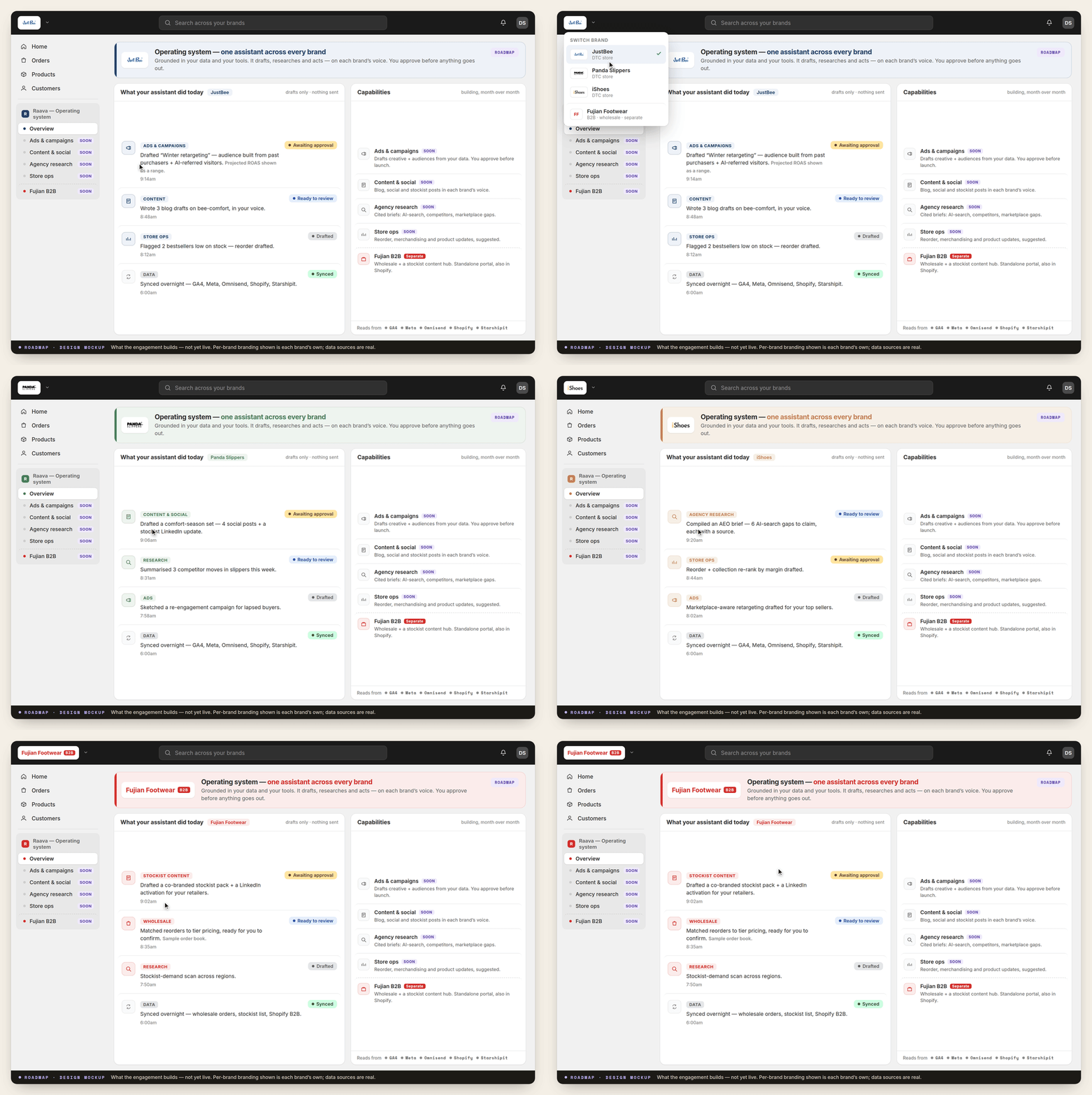
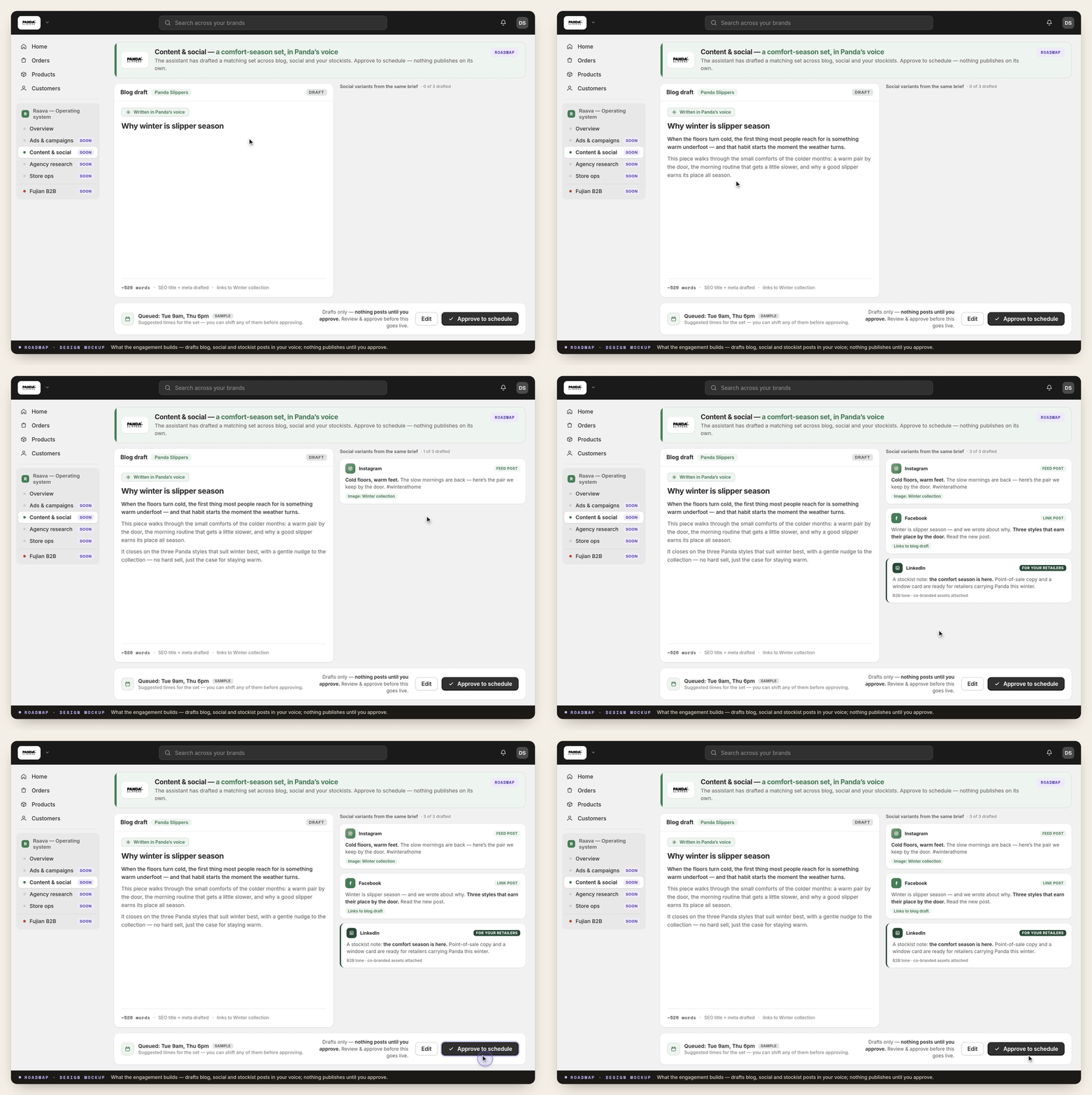
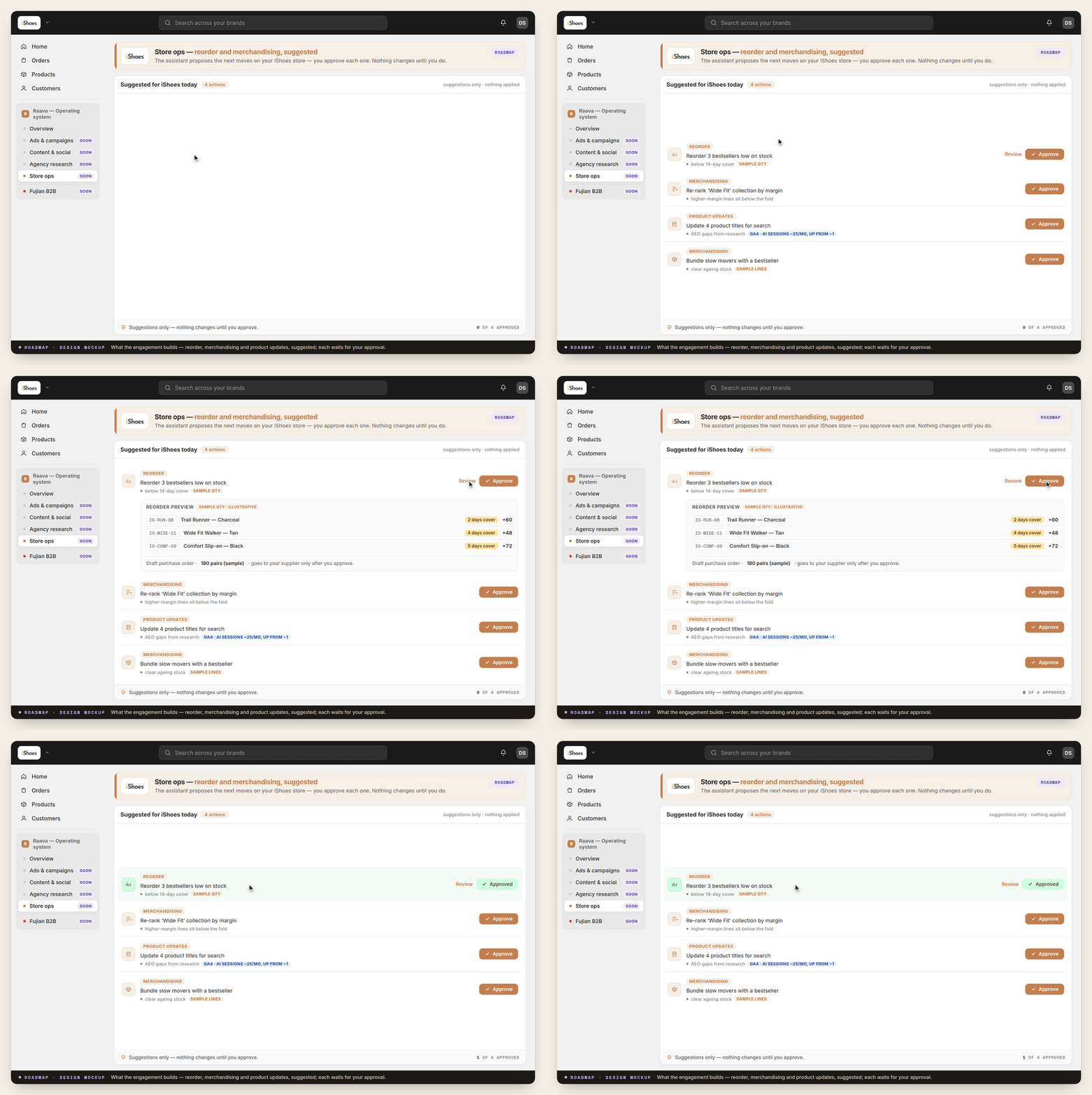
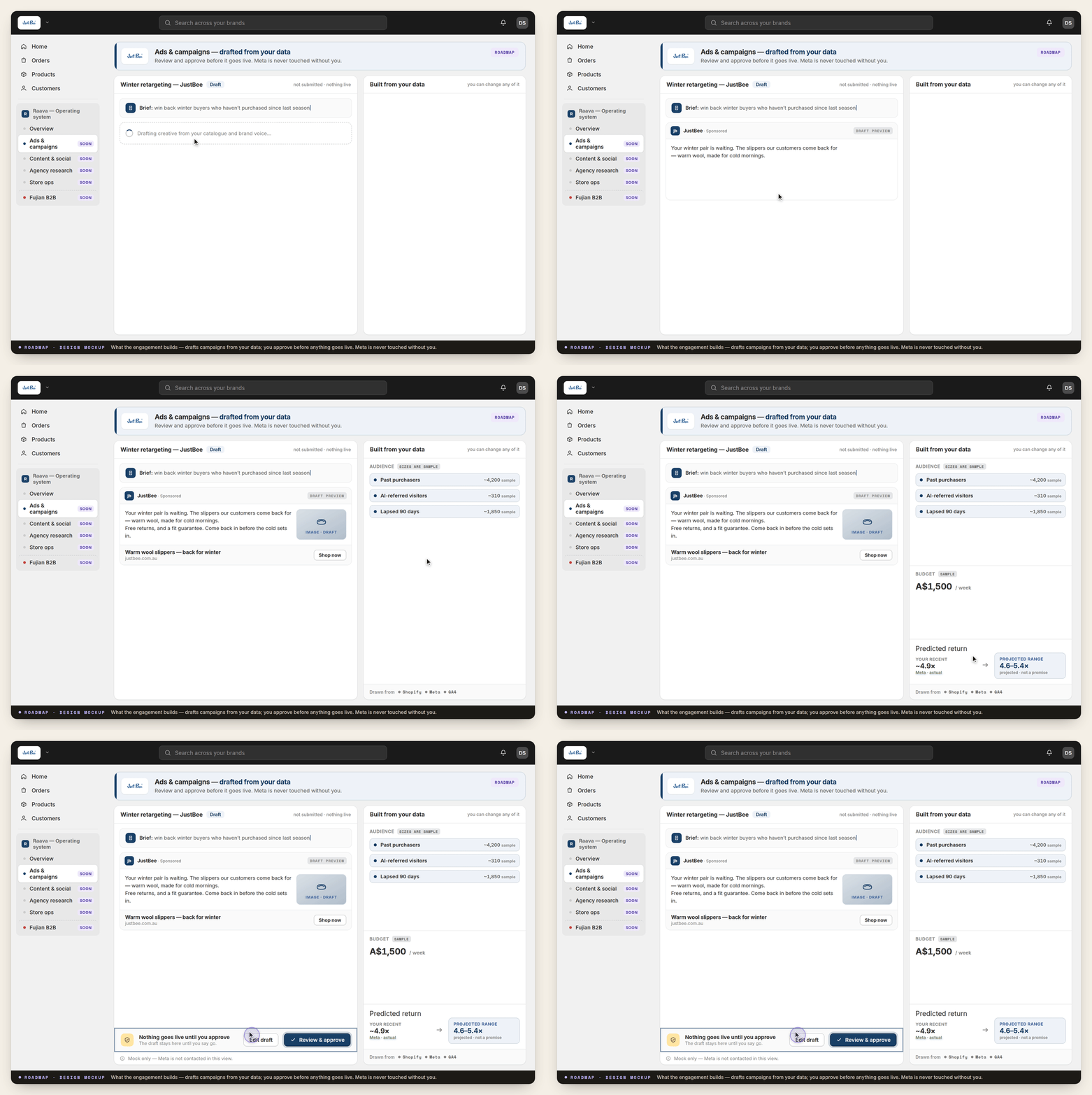
The agent OS, working today on our own business.

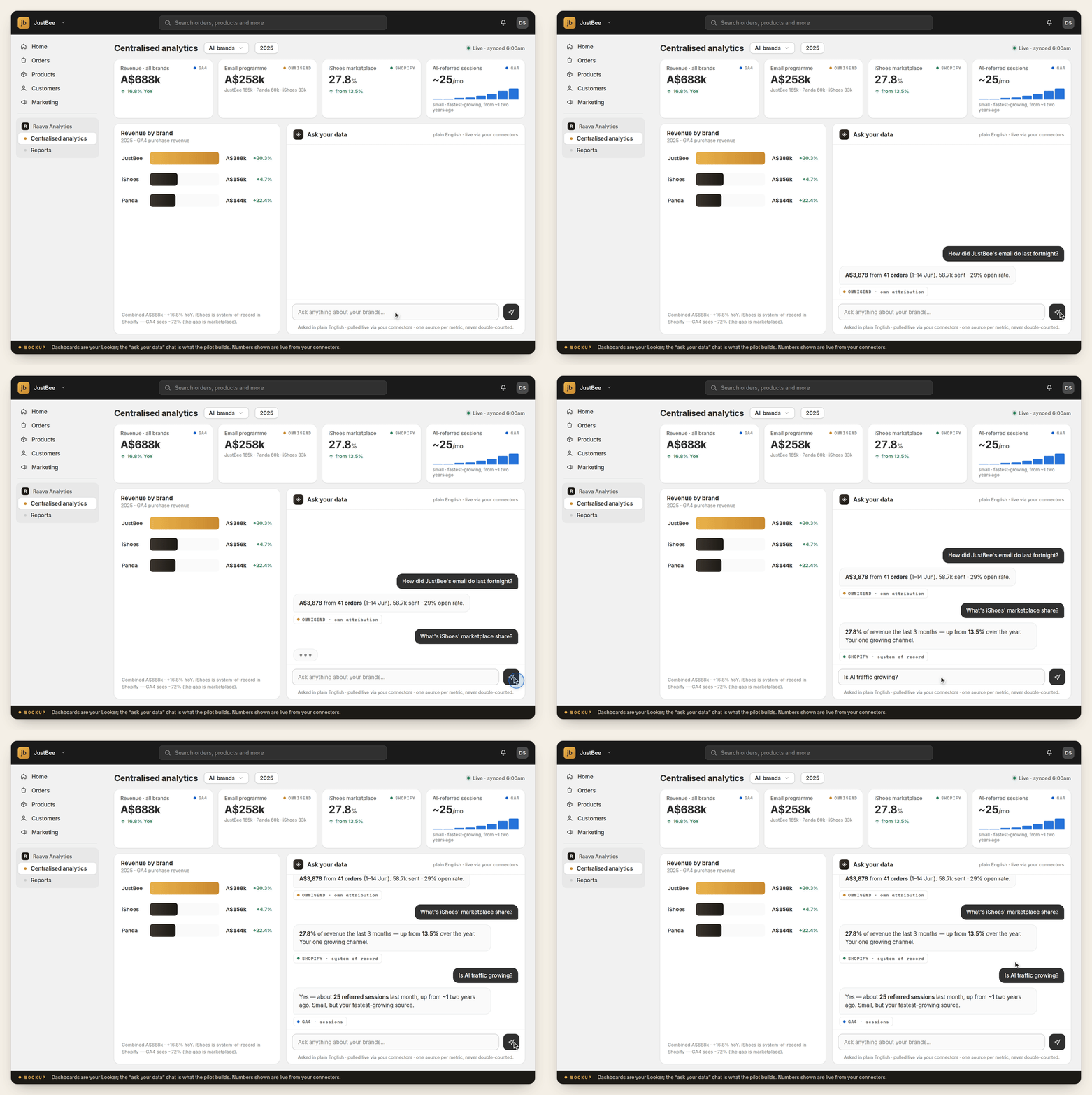
These screens show the expected day-90 agent OS release. Day ninety releases it to you carrying the workflows proven by hand in months one and two, and nothing else.

The system overview
The whole boardEvery brand's work in one place, and what needs a person next.
Content pipeline
The content pipelineFrom what people are searching for to a piece you can approve.
Store checks
The catalogue checksThe twenty-four checks, running when you start them, remembering what you approved.
Advertising view
The advertising viewWhat the shared spend is doing, in plain numbers.
Analytics
The numbersEvery brand's figures in one place, from your own accounts.
Fulfilment and returns
Fulfilment and returnsThe month-three automations, running under approval.